Terminal Multiplexer for Windows
Terminal Multiplexer for Windows (wtmux) lets you run many terminal sessions inside a single window and keep them alive as long as you need. Split the screen into panes to watch a build, tail logs, and edit files side by side; organize related work into named windows and sessions you can reach in a keystroke.
Because sessions run in the background, you can detach, close the terminal, and reattach later while the server remains alive. Live processes do not survive a Windows restart or server shutdown. If you already know tmux, familiar prefix-key commands and support for a subset of ~/.tmux.conf make wtmux easy to adopt.
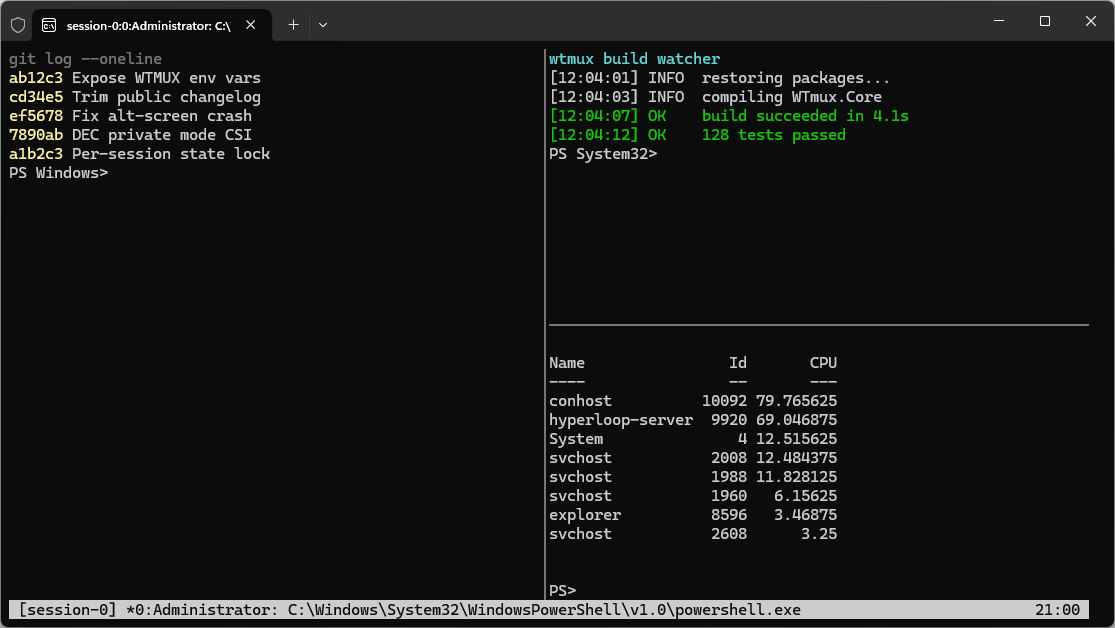
Features
- Session and window management — Create, list, attach, detach, and kill sessions with multiple windows.
- Pane splitting — Horizontal and vertical splits, navigation, resizing, and zoom.
- Detach and reattach — Keep long-running terminal work alive in the background.
- VT and ANSI support — Color, cursor control, scroll regions, alternate screen, and OSC sequences.
- Unicode and mouse input — Wide characters, emoji, selection, and application mouse tracking.
- Terminal integration — Application cursor/keypad modes, bracketed paste, focus reporting, and active-pane working-directory updates.
- Hyperlinks and clipboard — Policy-controlled OSC 8 links and OSC 52 clipboard writes, plus right-click clipboard paste with multi-line confirmation when needed.
- tmux configuration — Read
~/.wtmux.confor~/.tmux.conf. - Plugin system — Extend status formats, bindings, and behavior through AOT-safe plugin contracts.

Get the app
The Microsoft Store is currently the only installation channel. You can also install the same Store app with WinGet using its msstore source.
Get started
wtmux
wtmux new-session -s work
wtmux ls
wtmux attach -t work
The default prefix is Ctrl+B. Continue with the Usage guide, browse the complete Default Bindings, or review all Configuration Options.