Usage
Basic Commands
# Start a new session (auto-starts server if needed)
wtmux

# Start a named session
wtmux new-session -s work

# List sessions
wtmux ls

# Attach to the most recent session
wtmux attach

# Attach to a named session
wtmux attach -t work

# Kill a session
wtmux kill-session -t work

# Kill the server and all sessions
wtmux kill-server

# Start with a specific shell
wtmux new-session -c "pwsh.exe"

# Start in a specific directory
wtmux new-session -d "C:\Projects"
wtmux ls shows every live session and how many windows each holds:

Key Bindings
All commands use the Ctrl+B prefix key (press Ctrl+B, release, then press the action key):
| Key | Action |
|---|---|
" |
Split pane horizontally (top/bottom) |
% |
Split pane vertically (left/right) |
↑ ↓ ← → |
Navigate between panes |
c |
Create a new window |
n |
Next window |
p |
Previous window |
0–9 |
Switch to window by number |
d |
Detach from session |
x |
Close current pane |
z |
Toggle pane zoom (fullscreen) |
Key bindings can be customized via the configuration file.
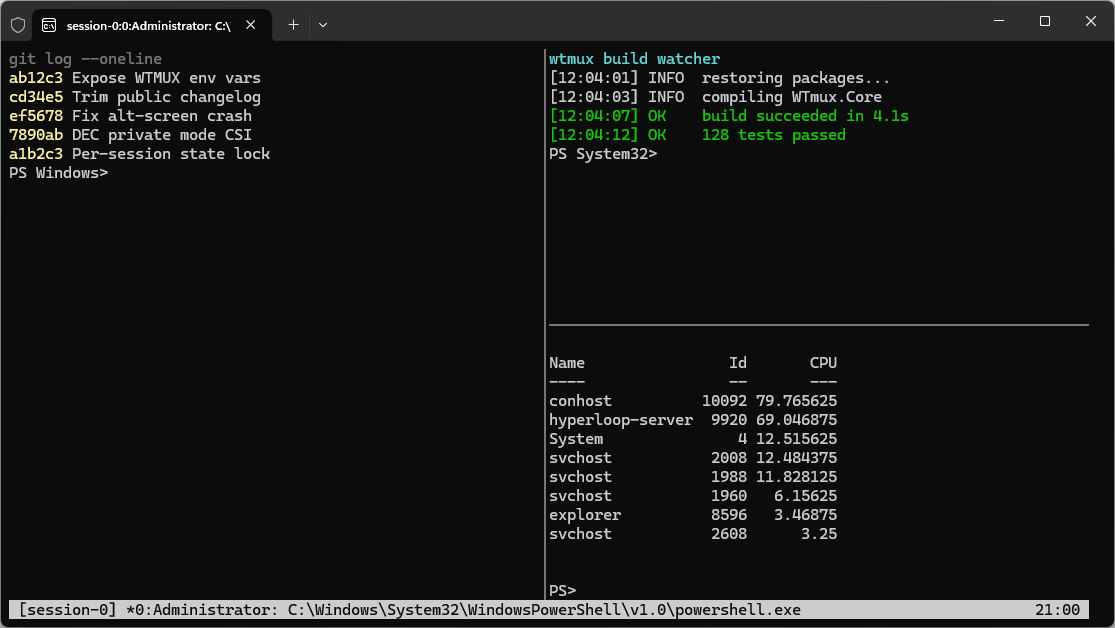
Splitting a window into panes gives you several terminals side by side, each with its own shell:
Environment Variables
When wtmux spawns a shell for a pane, it injects environment variables so processes,
scripts, and shell prompts can detect that they are running inside a wtmux session
(mirroring tmux’s $TMUX/$TMUX_PANE):
| Variable | Description |
|---|---|
WTMUX |
Set inside every wtmux pane. Value is <pipe-name>,<server-pid>,<session-id>. Absent outside of wtmux. |
WTMUX_PANE |
Identifies the current pane, formatted as %<pane-id>. |
All other environment variables are inherited from the wtmux server’s environment.
Examples:
# Detect whether you're inside wtmux (PowerShell)
if ($env:WTMUX) { "inside wtmux" } else { "not in wtmux" }
:: Refuse to nest a wtmux session inside another (cmd)
if defined WTMUX ( echo Already inside wtmux & exit /b 1 )